Clerkship Dashboard Overview
Clerkship Dashboard Overview
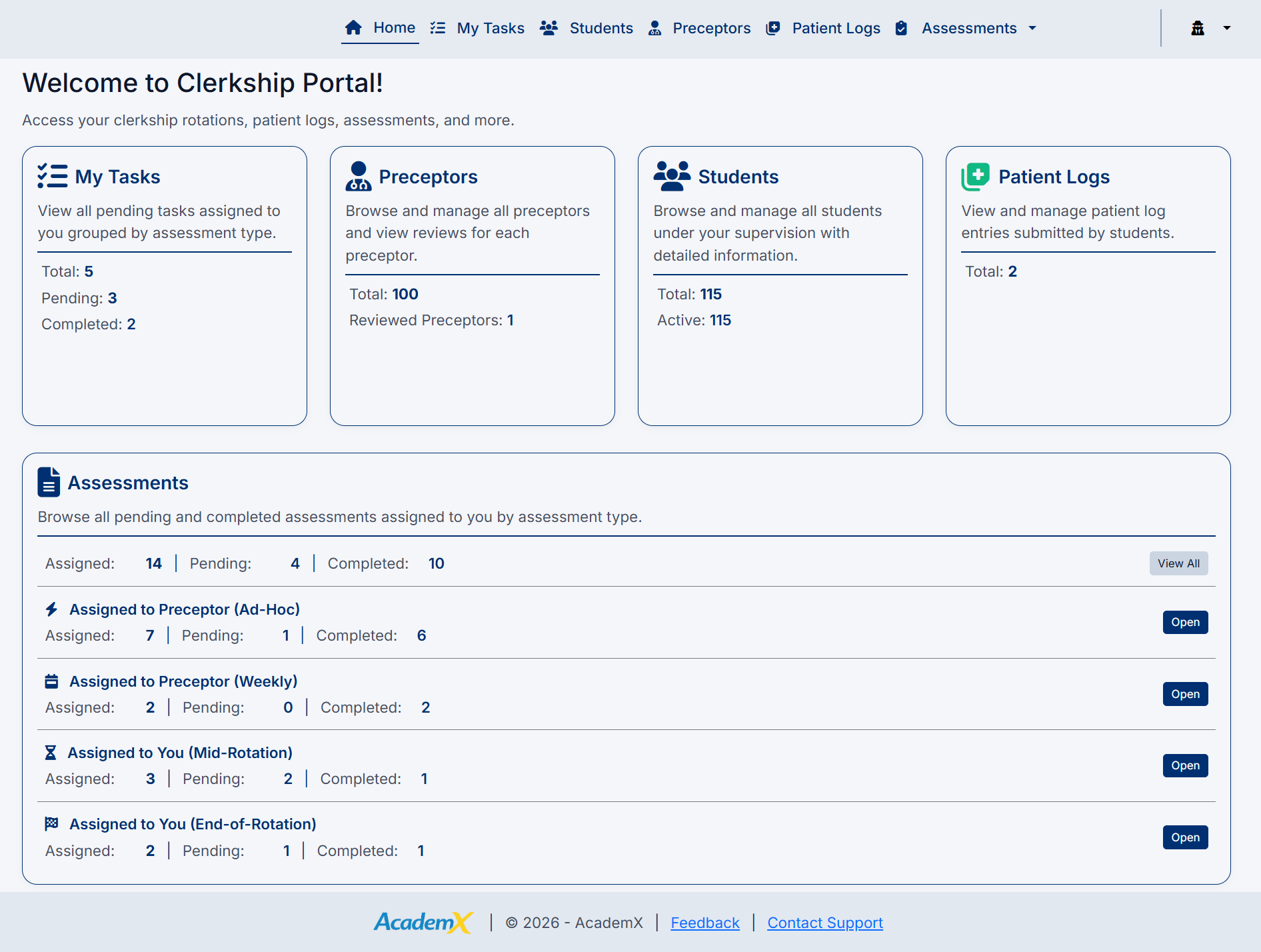
The Clerkship Director Dashboard serves as the main landing page for users managing clerkship operations within the AcademX Assessment Application.
The dashboard provides a centralized overview of clerkship activity and quick access to commonly used areas of the system.
From the dashboard, Clerkship Directors can navigate directly to:
- My Tasks
- Students
- Preceptors
- Patient Logs
- Assessments
The dashboard is designed to help users efficiently manage daily workflows and monitor important clerkship activity from a single screen.
Dashboard Purpose
The dashboard provides:
- Quick access to clerkship management areas
- Visibility into assessment activity
- Centralized workflow navigation
- Access to student and preceptor management
- Patient log oversight tools
Assessment Access
The dashboard provides direct access to assessment workflows grouped by assessment type.
Available assessment categories may include:
- Weekly Assessments
- Ad-Hoc Assessments
- Mid-Rotation Assessments
- End-of-Rotation Assessments
Users can open each assessment category directly from the dashboard to review or complete assigned work.
Workflow Management
The dashboard is intended to support efficient workflow management by helping users:
- Identify pending activities
- Navigate quickly between sections
- Monitor assessment progress
- Access commonly used functions
Navigation
The top navigation menu allows users to move between all major functional areas of the Clerkship Director Portal without returning to the dashboard.
Available navigation options include:
- Home
- My Tasks
- Students
- Preceptors
- Patient Logs
- Assessments

Using the Dashboard
The dashboard should be reviewed regularly to:
- Monitor pending assessments
- Track student activity
- Review patient log submissions
- Access clerkship management tools quickly
The Clerkship Director Dashboard acts as the primary starting point for managing clerkship workflows within the system.
Created with the Personal Edition of HelpNDoc: Easy Qt Help documentation editor